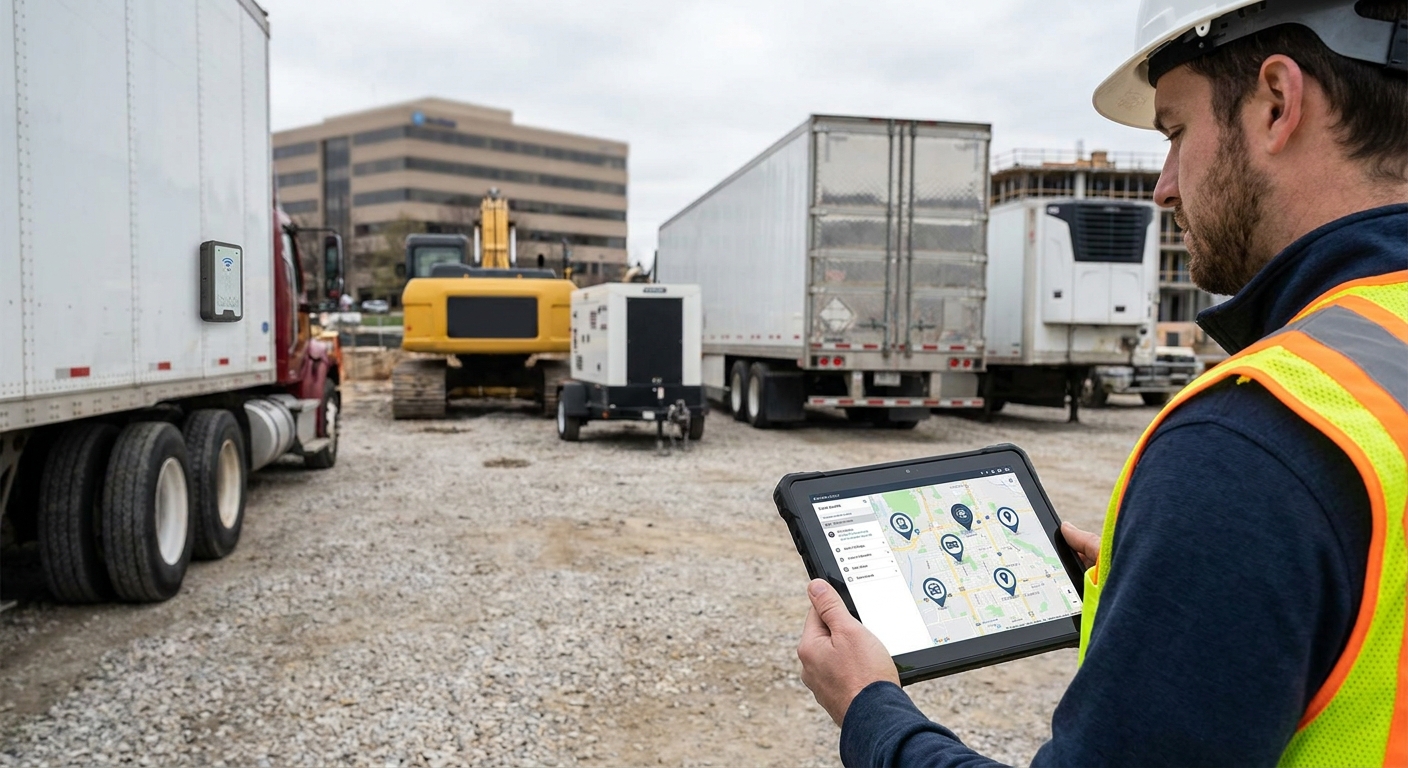
Trailers, generators, welfare units and plant equipment don't have a driver watching them, which is exactly why they go missing from construction sites and never come back. This guide covers how to track trailers and plant equipment across multiple sites in 2026, from picking the right tracker type to setting geofences that actually catch a theft while it's happening.
- How to track trailers and plant equipment across multiple sites starts with matching the tracker to its power source.
- GPS trackers for construction plant and equipment start around £198 for entry-level Thatcham units in 2026.
- Set one geofence per site, not a single blanket radius, to stop false alerts and catch real theft.
- Battery-only trackers on unpowered trailers need a signal check every 30 days or they go dark.
- Crystal Ball's asset tracking covers trailers, generators and plant across unlimited site locations — buy for multi-site fleets.
Why this matters
Plant and trailer theft doesn't happen at the depot. It happens on unattended sites overnight, at weekends, and in the gap between one subcontractor leaving and the next one turning up. A stolen generator or welfare unit isn't just a replacement cost — it stalls the whole crew until a new one arrives.
Multi-site operators have a harder version of this problem than a single-yard fleet. Every site has different access hours, different fencing, and different risk. GPS trackers for construction plant and equipment solve the visibility problem, but only if you configure them site by site instead of treating every location the same way.
What you'll need
- A full asset register — every trailer, generator, welfare unit and piece of plant, with a serial number against each one
- A tracker matched to each asset type — battery-powered units for unpowered trailers, hardwired units for plant with an onboard power source
- Site boundary data — GPS coordinates or a rough site plan for every location you currently operate from
- A monitoring platform that supports multiple geofences, not just one depot-wide radius
- A named person at each site responsible for checking alerts, not a shared inbox
- A mobile signal check for rural, basement or steel-clad sites before you commit to a device
The steps
1. Audit every asset you actually own
Walk the yard and every active site before you buy a single tracker. List serial numbers, note which assets move between sites weekly versus which sit still for months, and flag anything currently on hire or with a subcontractor.
This matters because the asset register in the office spreadsheet rarely matches what's physically on site — plant gets rented, swapped and subcontracted without anyone updating the paperwork. Common mistake: trusting the procurement list instead of a physical count.
2. Match the tracker to the power source
Hardwired trackers suit generators and plant with their own battery or alternator. Battery-only trackers suit unpowered trailers and containers, and need a standby rating of 3-5 years, not one that needs charging every 90 days.
Get this wrong and the tracker dies within a week of fitting. Common mistake: fitting a hardwired-only unit to an unpowered trailer, then wondering why it went silent.
3. Fit trackers where they can't be found or cut off in under a minute
Experienced theft crews check the obvious spots first — chassis rails, tow hitches, cab interiors. Concealment inside a structural void or under cladding buys you time before a tracker gets stripped.
Common mistake: mounting the unit in the first accessible spot because it's quicker to fit, not because it's hard to find.
4. Build a geofence around every site boundary
Set an individual geofence for each site — typically 100-150 metres depending on the size of the yard — rather than one radius that's meant to cover several locations. A vehicle tracking system for construction companies should let you draw a separate boundary per address, with its own alert rules.
Common mistake: one blanket geofence radius across all sites, which either misses a small yard entirely or floods the team with false alerts from a large one.
5. Configure movement and after-hours alerts
Set an alert for movement outside working hours — say 6pm to 6am — and an instant notification on tamper or disconnect. Loading and normal site traffic shouldn't trigger anything.
Common mistake: leaving alerts on default settings so they fire during ordinary loading hours, until the site team starts ignoring every notification.
6. Assign an owner at each site
Name a foreman or site manager responsible for checking the app daily, with a clear escalation path if an asset moves unexpectedly. One central office an hour away is too slow for a theft-in-progress.
Common mistake: routing every alert to head office, where nobody can act on it before the asset is gone.
7. Test signal and reporting before go-live
Confirm signal strength at every site before you rely on the setup — steel-clad sheds, basements and rural yards routinely block the network a tracker depends on. Run a 48-hour test before rollout, not after the first theft.
Common mistake: assuming mobile coverage is uniform across every site you operate from.
8. Review location and usage reports weekly
Check idle time and unauthorised moves between sites once a week, not just after something's gone missing. Quiet warning signs — an asset that's moved sites without a work order — show up here first.
Common mistake: only opening the dashboard after a theft, missing weeks of warning signs that were sitting there the whole time.


Troubleshooting
- No signal inside a steel-clad container or basement. Reposition the tracker near a vent or opening, or switch to a device with dual-network fallback.
- False tamper or movement alerts from wind or loading. Adjust the sensitivity threshold and add a 5-10 minute grace window before an alert fires.
- Battery drains faster than expected on a stationary trailer. Drop the ping frequency to once every 4 hours while the asset is idle, instead of every 15 minutes.
- Overlapping geofences trigger alerts on the wrong site. Shrink each radius and add a buffer zone between adjacent sites, or merge the geofence if the sites genuinely share a boundary.
- Shared logins mean nobody owns the alert. Give each site manager an individual login so every notification has a named recipient.
- An asset shows "last seen" days ago. Check for a signal blackspot first, then confirm the tracker wasn't removed during a subcontractor swap.
Tools and resources
- Asset and trailer tracking hardware for unpowered equipment and containers
- Thatcham-approved trackers for high-value fleet vehicles if the asset in question is a powered vehicle rather than a trailer
- A manager app that shows every site's geofence and alert history on one screen
- A weekly reporting habit — 15 minutes on a Monday catches more theft than a monthly audit
What to do next
Once tracking is running cleanly on one or two sites, the harder part is scaling it without the process falling apart. Scaling a fleet tracking rollout from 10 to 100 vehicles covers how to standardise fitting, alerts and reporting as the number of sites and assets grows through 2026 and beyond.
FAQ
What's the best way to track trailers that don't have their own power supply?
A standalone battery-powered GPS tracker with a 3-5 year standby rating is the best fit for unpowered trailers in 2026. Hardwired trackers need a constant power source, so they drain flat within days on an asset with no electrics.
How much does a plant equipment tracker cost in 2026?
Entry-level Thatcham-rated trackers start around £198 in 2026, with higher-spec units running to £548. Price differences mostly reflect monitoring level and installation type, not just the hardware.
Is GPS tracking legal for rented or subcontracted plant?
Tracking your own hired-in plant is standard practice and legal, but check the rental agreement first — some suppliers already fit their own tracker. Duplicate devices on one asset can cause conflicting alerts.
How often should a trailer tracker ping its location?
Every 15 minutes while the asset is moving is typical, dropping to every 4 hours once it's stationary to save battery. A shorter interval drains an unpowered trailer's battery far faster with limited practical benefit.
Can one geofence cover multiple construction sites?
No — one blanket geofence across several sites either misses smaller yards or generates constant false alerts from larger ones. Each site needs its own boundary, typically 100-150 metres depending on layout.
What's the difference between a Thatcham S5 and S7 tracker for plant assets?
S7 is the entry-level insurance-approved tier at £198, while S5 and S5 Plus add higher monitoring specifications at £374 and £548. The right tier depends on the asset value and what your insurer requires.
How do you stop false theft alerts on tracked trailers?
Add a 5-10 minute grace window before a movement alert fires, and adjust sensitivity so wind or loading doesn't trigger a tamper notification. Most false alerts come from default settings that were never tuned to the site.
Do plant trackers work underground or inside steel containers?
Signal drops significantly inside steel-clad structures and basements, so positioning near a vent or opening matters more than the tracker's spec sheet. A dual-network device with 2G fallback handles weak-signal sites better than a 4G-only unit.
One last thing
The most overlooked failure point isn't the tracker — it's the geofence radius set once at installation and never revisited. Sites change shape as work progresses, fencing goes up and down, and a radius that made sense in week one can be flooding the site manager with false alerts by week six. Check geofence accuracy every time a site layout changes, not just when you first fit the device.