Care workers spend shifts alone in someone else's home, often with poor mobile signal and no colleague within shouting distance — the right lone worker safety device turns that isolation into an automatic call for help. This guide ranks the device categories that actually hold up for domiciliary and home care staff in 2026, not office badge-alarms repackaged for a job they were never built for.
- App-based lone worker protection with GPS check-ins and man-down alerts is the best lone worker safety devices for care workers pick in 2026 — buy it.
- Wearable panic pendants work as a backup for staff who don't want a phone in their pocket during personal care tasks.
- Manual telephone call-in systems are the weakest option in 2026 — no location data, no automatic escalation.
- Care agencies running their own vehicles between visits need fleet visibility alongside lone worker cover, not instead of it.
Why this matters
Domiciliary care staff work alone by design — one carer, one client, no supervisor in the room. Under the Health and Safety at Work Act 1974, the employer still carries the duty of care even when nobody is watching the shift happen. A fall in a stairwell, an aggressive client, or a carer collapsing between visits are all scenarios where the only witness is a device, not a person.
CQC inspections increasingly ask providers to show what happens when a carer doesn't check out at the end of a visit. "We trust our staff" is not a policy. A lone worker safety device is the paper trail and the response mechanism in one.
How we ranked
Each category is judged against six criteria that matter specifically for home care visits: GPS accuracy indoors and on foot, automatic man-down or no-movement detection, whether alerts escalate to a real monitoring response, one-handed usability during a physical task, battery life across a full shift, and whether it plugs into existing rota software. A lone worker app for home care staff scores well on most of these because it rides on hardware the carer already carries — their phone.
Devices that need a second gadget, a second charge cycle, or a separate login for the office to check tend to fall down the list, regardless of how well they work on a spec sheet.
The ranked list
1. App-based lone worker protection (GPS check-in + man-down alert)
The practical default. Runs on the carer's existing Android or iOS phone, tracks location during a scheduled visit window, and triggers an alert automatically if the phone stops moving or the carer doesn't check out on time. No extra hardware to issue, charge, or lose.
Why it wins in 2026: rota software already schedules the visit, so the app can start and stop monitoring against the same time window without the carer doing anything extra. Buy — this is the category to standardise on for a home care workforce.
2. Wearable panic pendants and badge alarms
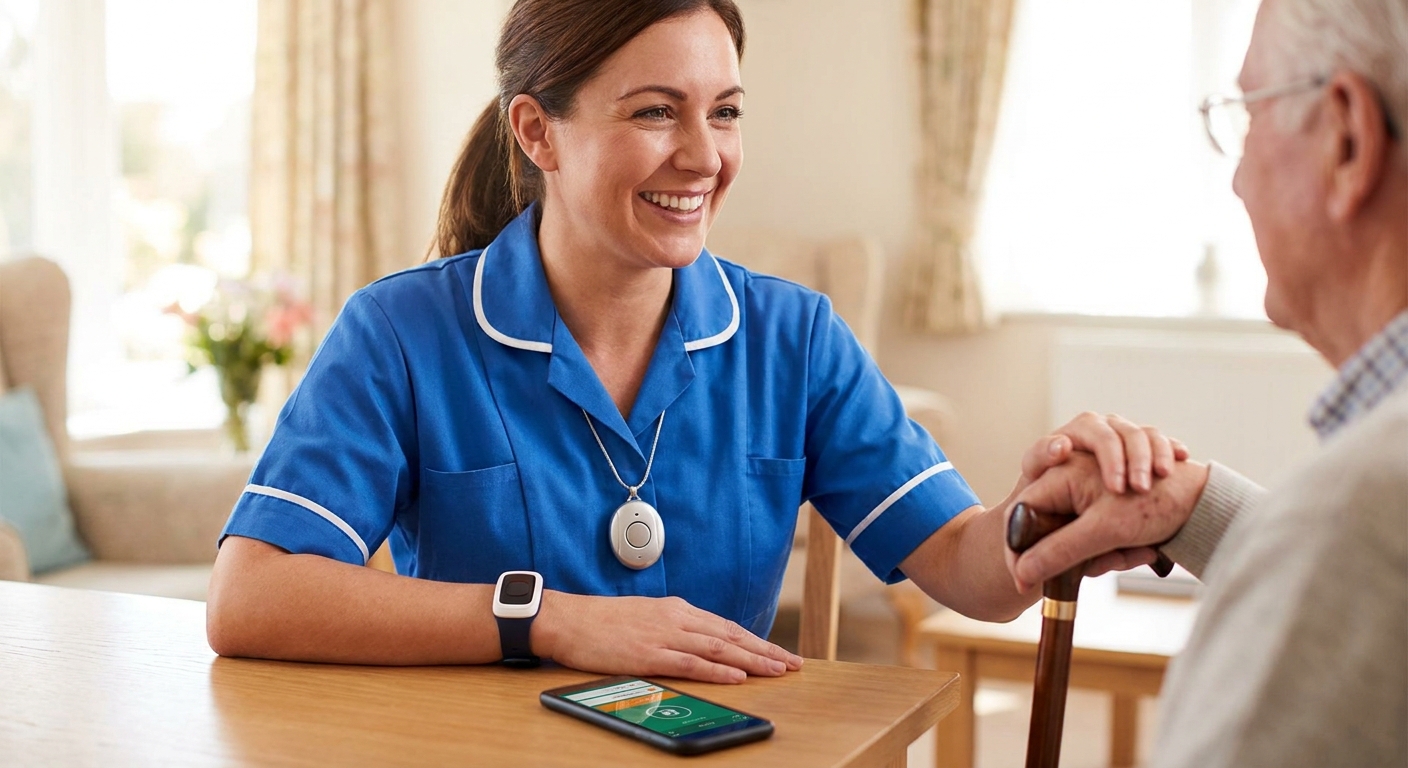
A physical button a carer clips to a lanyard or wears on a wrist. Good for staff who can't or won't carry a phone during hands-on personal care, or who need a button they can press without unlocking a screen.
The weakness is coverage — most pendants rely on Bluetooth pairing to a phone anyway, so you're still buying a phone-based system underneath. Consider as a supplement for higher-risk visits, not a replacement for the app.
3. Static no-movement and fall-detection sensors
Accelerometer-based detection that fires an alert if a device goes horizontal and stays still for a set period. Useful for lone workers who might be incapacitated rather than attacked — a fall on a wet bathroom floor, a medical episode mid-visit.
False positives are common if the phone gets left on a table while the carer works. Consider it as one signal among several, not the only trigger.
4. Scheduled check-in / timed session alarms
The carer confirms they're safe at set intervals — start of visit, midpoint, end of visit — and a missed check-in escalates automatically. Simple to explain to staff and cheap to run.
It only works if the carer remembers to check in, which is exactly the failure mode you're trying to design out. Hold this as a backup layer behind an automatic app, not the primary system.
5. Voice-activated SOS on smartwatches
Spoken trigger phrases that call for help hands-free. Sounds ideal for a carer mid-task with both hands occupied, but voice recognition in a noisy home environment — TV on, running water, a distressed client — is unreliable enough that it can't be the only line of defence.
Wait on this as a primary system for domiciliary care until recognition accuracy in real home environments improves.
6. Manual telephone call-in to the office
The carer rings in at the end of a shift. No GPS, no automatic escalation, no record beyond a phone log, and it depends entirely on someone in the office noticing a missed call. Skip it as a standalone system in 2026 — pair it with something automatic or don't rely on it at all.
When the vehicle matters too
Most home care agencies aren't just managing lone workers indoors — carers drive between visits, often in their own vehicles or a small pool fleet. If your agency runs vehicles at all, lone worker cover and fleet visibility need to sit on the same platform, not two separate logins the office has to check.
Agencies running NHS or local authority contracts often need to show both in the same audit. NHS and healthcare fleet management software covers the vehicle side — location, driver behaviour, service scheduling — while the lone worker app covers what happens once the carer is inside the door.
Where the fleet consists of vehicles worth protecting against theft as well as staff, Thatcham-approved trackers add a security layer: £198 for the entry-level S7, £374 for the S5, and £548 for the S5 Plus, all backed by 24/7/365 monitoring. That's a vehicle security decision, separate from lone worker protection, but for agencies budgeting both at once it's worth pricing together.
“If a carer can't press a button while both hands are occupied, the alarm is the wrong shape for the job.”
Comparison table
| Device category | Setup effort | Automatic escalation | Best for | Verdict |
|---|---|---|---|---|
| App-based lone worker protection | Low — uses existing phone | Yes | Every home care shift | Buy |
| Wearable panic pendant | Medium — extra hardware | Partial (via phone) | High-risk visits | Consider |
| No-movement/fall sensor | Low | Yes, prone to false alerts | Falls, medical episodes | Consider |
| Scheduled check-in alarm | Low | Only if carer responds | Backup layer | Hold |
| Voice-activated SOS watch | Medium | Unreliable in noisy homes | Not yet reliable enough | Wait |
| Manual call-in | None | No | Nothing on its own | Skip |
Where to buy
- Match the device to the rota, not the other way round. A system that can't read shift start and end times from existing scheduling software creates admin work every single day.
- Check the escalation path before you check the price. A cheap alarm that pings an email nobody reads at 2am is worthless. Ask exactly who gets the alert and how fast.
- Pilot with your highest-risk shift pattern first. Late evening visits and lone entries to unfamiliar addresses expose weaknesses that a daytime pilot won't show.
Small agencies running a handful of vehicles alongside their care staff can also check GPS tracking built for single-van small businesses if fleet visibility needs to scale alongside the lone worker rollout.
FAQ
What's the best lone worker safety device for care workers in 2026?
An app-based lone worker system running on the carer's own phone is the best lone worker safety device for care workers in 2026, because it uses GPS check-ins and automatic man-down alerts without issuing extra hardware. Wearable pendants work as a supplement for high-risk visits.
Is a wearable panic button better than a phone app for home care staff?
No — most panic pendants pair to a phone via Bluetooth anyway, so the phone app is still the underlying system. A pendant adds a physical trigger for staff who can't unlock a screen mid-task, but it's a supplement, not a replacement.
How much does lone worker protection cost for a care agency?
Costs vary by provider and headcount, so check current pricing directly. Agencies also running vehicles often budget Thatcham-approved tracker hardware separately, which ranges from £198 to £548 per unit in 2026.
Do lone worker apps work without mobile signal?
Coverage depends on the building and network, which is why GPS accuracy indoors is one of the main ranking criteria for care work. Systems that log the last known location before signal drops out perform better in practice than ones that go silent entirely.
What triggers a man-down alert?
A man-down alert fires when a device detects no movement for a set period, typically after the phone or wearable goes horizontal and stays still. It's one signal among several and works best paired with a scheduled check-in as backup.
Can lone worker devices integrate with care rota software?
Some can, and that integration is what separates a genuinely low-admin system from one that needs manual setup for every shift. Ask any provider directly whether monitoring windows can pull from existing scheduling data before buying.
Are manual call-in systems still acceptable for care staff in 2026?
Manual call-in alone is the weakest option in 2026 because it has no location data and depends on someone in the office noticing a missed call. It can sit as a backup layer behind an automatic system but shouldn't be the only safeguard.
One last thing
The agencies that get lone worker protection right treat it as a rota problem, not a gadget purchase — the device only works if it starts and stops monitoring in step with the actual visit, automatically, every single time. Buy the system that reads the schedule; skip anything that depends on a carer remembering to press a button.